
The Evolution of Small Business Tools: From 10 Apps to 1 OS
Discover why stacking endless tools is killing your growth. Learn how small businesses are shifting from fragmented apps to unified operating systems that actually drive execution.


The Evolution of Small Business Tools: From 10 Apps to 1 OS
Here's a thought that should make you uncomfortable:
"If Your Business Disappeared, Your Software Wouldn't Notice."
If your business shut down overnight, most of your tools would keep working perfectly.
Automations would continue firing. Campaigns would stay queued. CRMs would still display "open deals." Dashboards would refresh like nothing happened.
The systems would survive. The business wouldn't.
That's the paradox of modern small business software. Somewhere along the way, tools stopped supporting operations and quietly became the operations themselves.
The Fracture: How SMBs Became Slaves to Multiple Systems
Many SMBs no longer run on a system. They run between systems.
One tab for customer messages. Another for leads. Another for ads. Another for social posts. Another for reviews. And a spreadsheet open just to reconcile what none of those tools fully agree on.
Every action requires mental switching. Every follow-up relies on memory. Every delay hides in the gaps between apps.
Execution doesn't collapse dramatically. It erodes silently.
Not because teams lack discipline. Not because the strategy is flawed. But because no single system understands the customer end-to-end, the journey end-to-end, or the next action that actually matters.
Individually, each tool promises efficiency. Together, they introduce friction, hesitation, and fatigue.
Growth doesn't stall. It leaks.
Through late replies. Through missed handoffs. Through duplicated effort. Through decisions delayed because context lives in too many places.
That's why small business tooling is changing at its core.
The Tool Explosion Era: How SMBs Collected 10+ Apps Without Realizing It

SaaS didn't overwhelm small businesses overnight. It seduced them slowly.
Over the last decade, software became inexpensive, fast to deploy, and hyper-specialized. Every problem came with a tailored solution:
- Need email marketing? One product
- Social scheduling? Another
- WhatsApp handling? A different one
- CRM, ads, reviews, analytics — each challenge had its own "perfect" tool
That's how small teams entered the era of tool accumulation without noticing the cost.
What felt like empowerment soon turned into saturation.
Marketing tools for small businesses were designed to simplify work, but stacking them introduced an entirely new layer of complexity.
The Hidden Costs of Tool Sprawl
Each new app fixed a narrow issue while quietly creating new ones:
First: Attention fragmentation Teams bounce between platforms just to understand a single customer's status.
Then: Manual reconciliation
- Copying messages into CRMs
- Exporting data into spreadsheets
- Rebuilding reports from mismatched inputs
Finally: Duplication The same lead appears in multiple systems, each telling a slightly different story.
The Illusion of "Best-in-Class"
This is the invisible overhead of SaaS overload. It slows momentum, blurs ownership, and transforms simple actions into multi-step workflows.
The biggest misconception of this era was "best-in-class." Tools that perform well alone lose their advantage when they can't share context. Without integration, best-in-class becomes best-in-isolation.
Growth didn't slow because teams stopped trying. It slowed because execution fractured across systems that were never designed to think together.
The Real Cost of Fragmentation
Tool fragmentation rarely announces itself as a problem. There's no alert saying "your workflow is broken." No red warning light.
Just a steady accumulation of friction that becomes normal over time.
How Fragmentation Kills Execution
First symptom: Lead management breaks Customer signals arrive from everywhere—forms, ads, chats, messages—but never converge into one shared view. When information is scattered, follow-ups become uneven. Not due to neglect, but because the route from intent to action isn't clear.
Then: Execution speed erodes Tasks depend on human glue: screenshots, forwarded messages, copied notes. Each handoff introduces delay. Over time, response speed drops not from apathy, but from workflows that were never designed to move together.
As tools multiply: Focus narrows Teams spend more energy managing software than serving customers. Notifications stack up. Tabs remain open indefinitely. What's meant to boost productivity quietly drains it, replacing momentum with maintenance.
Decision-making suffers Reports look polished, but they're built on partial truths. One platform tracks activity. Another measures outcomes. Neither captures the full journey. Leaders hesitate because the numbers don't match lived reality.
The most dangerous part: It's subtle None of these issues feel fatal alone. But combined, day after day, they compound into slower reactions, missed opportunities, and inconsistent execution.
Fragmentation doesn't destroy businesses instantly. It exhausts them gradually—through lost clarity, diluted accountability, and systems that never quite keep up with demand.
The Shift in Thinking: From "Tool Stack" to "Growth Stack"
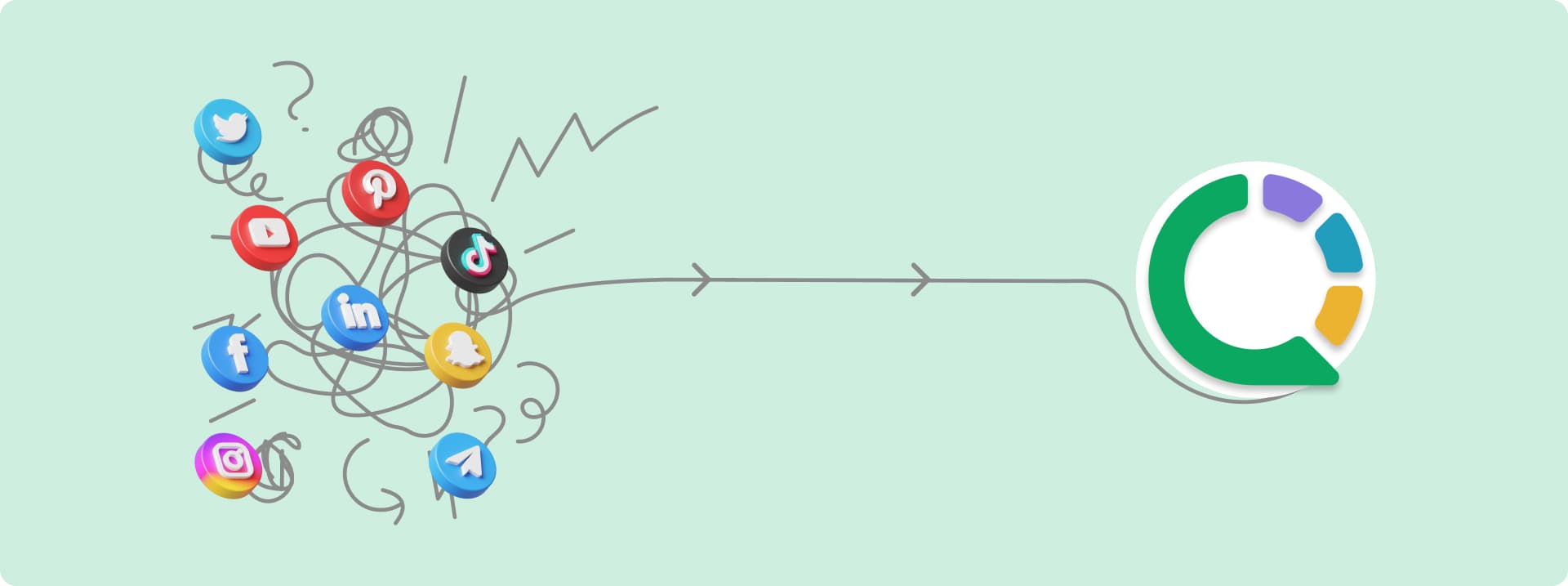
For years, the advice was simple: "Just add another tool."
- Need leads? Add a CRM
- Need reach? Add ads
- Need engagement? Add chat
- Need clarity? Add analytics
Sounds logical, right? So why does execution still feel slow?
The Uncomfortable Truth
Tools don't grow businesses. Actions do.
Modern software isn't meant to sit idle. It's meant to move something forward:
- A message
- A decision
- A follow-up
- A conversion
When tools don't trigger action, they're just expensive dashboards.
That's why the old idea of a tool stack is breaking down.
From Tools to Workflow
Today's tools are not standalone products. They're workflow pieces.
- On their own, they're quiet
- Connected properly, they're powerful
This is where the mindset changes: from collecting tools to designing a growth stack.
The Critical Question to Ask
"Is this tool helping me do something faster, or just showing me more data?"
Most small businesses don't lose customers because they lack features. They lose customers in the handoffs.
- A lead arrives… but the context is missing
- A conversation starts… but the history isn't visible
- A campaign runs… but follow-ups don't happen on time
Growth Stack vs. Tool Stack
A traditional marketing stack optimizes tasks. A growth stack optimizes flow.
When something happens in one place, the next step is already clear somewhere else—without reminders, spreadsheets, or mental gymnastics.
That's the difference.
Stop Asking "What Tool Next?" Start Asking "What Should Happen Automatically?"
So stop asking: "What tool should we add next?"
And start asking: "What should happen automatically after this?"
That's the moment software stops being an expense and starts becoming growth infrastructure.
Why CRM Became the Center (And Why Most CRMs Still Missed the Mark)
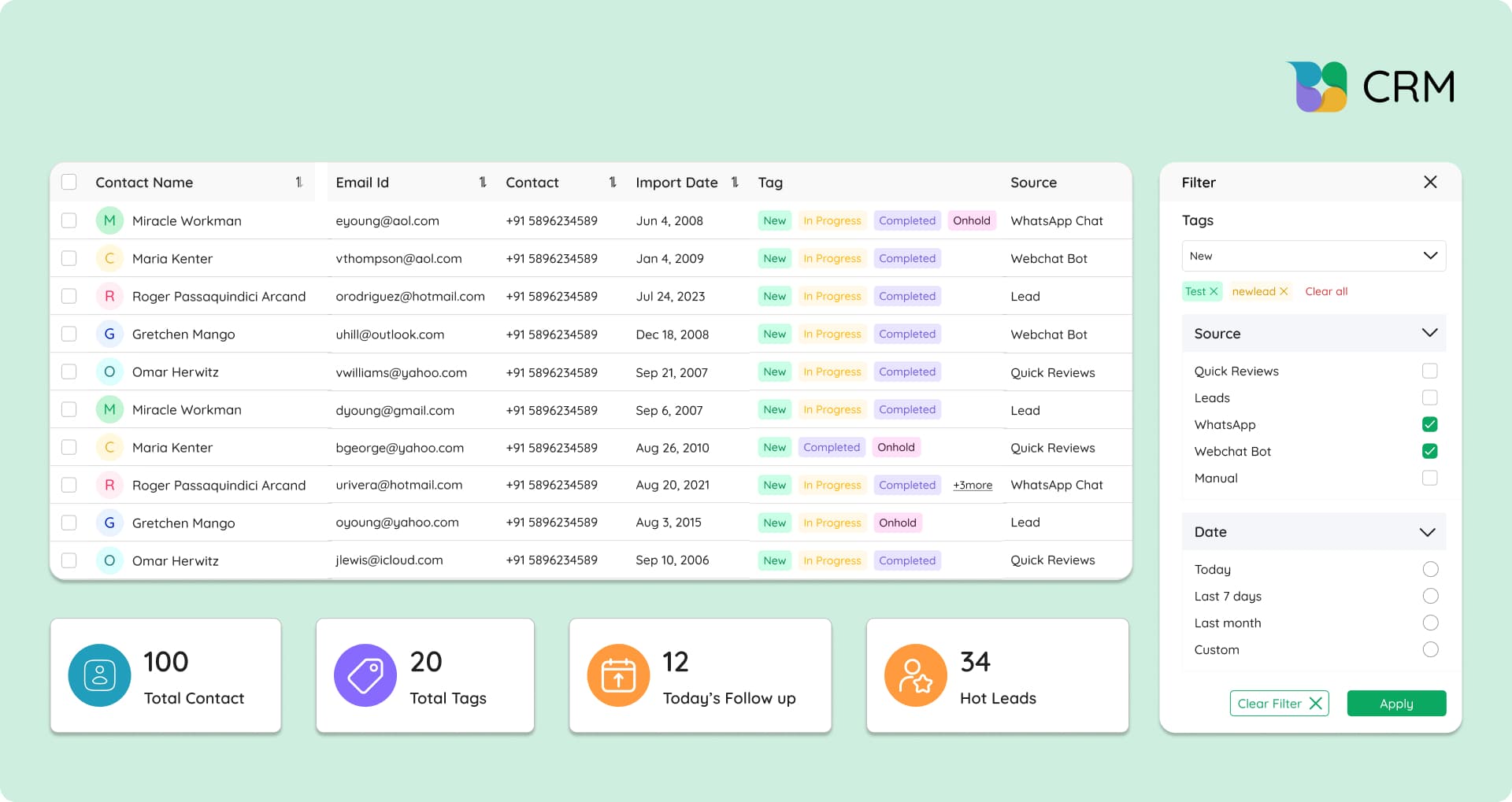
CRM was supposed to be the command center.
- One system
- One source of truth
- One place where growth stayed organized
On paper, it made perfect sense.
In reality? Most CRMs became background noise.
- Open it once a week
- Update it after the fact
- Trust it… cautiously
What Went Wrong?
Over time, many CRMs quietly slipped into roles no business actually wanted:
✗ A contact graveyard full of outdated data ✗ A reporting tool reviewed after deals were lost ✗ An admin chore that demanded discipline but gave little speed back
The Real Problem: Isolation
The problem wasn't customer data. It was isolation.
Most CRMs were built to store information, not use it.
- Conversations happened on WhatsApp
- Decisions happened in inboxes
- Follow-ups lived in people's heads
- By the time anything reached the CRM, momentum was already gone
Where CRMs Fell Short
Without built-in communication: Context stayed incomplete. Sales teams switched apps just to understand intent. History was scattered. Signals were delayed. CRMs called themselves the "source of truth," but truth was split across channels.
Then automation gaps made it worse:
- Deals stalled quietly
- No alerts
- No nudges
- No system pressure to act
- Progress relied on memory
And small teams don't have spare memory.
The Critical Realization
This is why so many SMBs realized something critical:
Having a CRM is not the same as running on one.
Tracking activity isn't enough. Driving action is the real job.
CRMs didn't fail because they weren't important. They failed because they stopped at organization instead of execution.
Until customer data, conversations, and automation live inside the same flow, CRM can't truly sit at the center of small business growth.
Execution Broke First: Campaigns, Replies, Follow-Ups, Attribution
Modern marketing didn't fall apart because there are too many channels. It fell apart because speed outran systems.
Today, attention peaks fast and disappears faster. Reach matters less than response timing. That's where execution started leaking revenue.
The First Break: Response Speed
Ads work. Clicks happen. But if replies aren't instant, intent fades.
A prospect waiting minutes is already gone. Campaigns don't fail at targeting. They fail at follow-through. Demand is created… then quietly wasted.
The Second Break: Relevance
Campaigns run without context. Offers go out blind.
- No awareness of past chats
- No visibility into intent
- No personalization beyond a name tag
Even strong messages fall flat when they ignore history.
The Third Break: Inbox Chaos
- Instagram DMs here
- WhatsApp there
- Ad leads somewhere else
- Messages get missed
- Replies get duplicated
- High-intent conversations slip through unnoticed
A missed reply isn't just bad support. It's lost revenue.
Without a unified inbox, teams react instead of execute.
The Final Break: Attribution
Which campaign started the conversation? Which reply closed the deal? No one's sure.
Reports look clean, but answers stay fuzzy. Decisions turn into educated guesses.
Why Execution Collapsed
This is why execution collapsed before strategy ever did.
Marketing didn't get harder. It got faster. And systems that can't connect campaigns, conversations, and follow-ups in real time simply can't keep up.
That's why more SMBs are moving toward running omnichannel campaigns from a single place—where messages, context, and actions live together.
Because in modern marketing, the win doesn't go to the loudest brand. It goes to the one that replies first with the most context and the least friction.
The Emergence of the "Business OS" Model
For years, "all-in-one" platforms promised simplicity. Most delivered dashboards stitched together with weak connections.
The Business OS model is different. And it's why small businesses are paying attention.
A true business operating system is not a bundle of features. It's a single foundation that runs how work actually flows.
What a Business OS Actually Provides
One data layer: Every customer, conversation, campaign, task, and transaction pulls from the same source of truth. No syncing. No duplication. No "which tool has the latest update?"
Unified business software ensures context follows the customer everywhere.
One execution layer: Actions don't happen inside isolated tools. Messages, follow-ups, campaigns, and automations trigger from the same system. This is where speed comes from—because execution doesn't wait for handoffs.
Multiple functions, one brain: CRM, chat, campaigns, ads, reviews, and automation aren't separate products. They are different expressions of the same intelligence layer. The system remembers, reacts, and learns as a whole.
Business OS vs. Traditional All-in-One
This is what separates a Business OS from traditional all-in-one platforms.
Most all-in-one tools focus on surface convenience: fewer logins, shared UI, bundled pricing.
A Business OS focuses on operational continuity. It connects intent to action without forcing teams to jump tools or re-enter context.
Why SMBs Are Adopting Faster Than Enterprises
This is exactly why SMBs are adopting OS-style platforms faster than enterprises.
Small businesses can't afford tool sprawl, admin overhead, or delayed execution. They need unified business software that works at the pace of real conversations.
- Enterprises optimize for control and customization
- SMBs optimize for speed, clarity, and momentum
In a world where growth depends on instant responses and connected workflows, the Business OS isn't a future concept. It's the natural evolution of how modern businesses actually operate.
From Apps to Outcomes: What a True SMB OS Does Differently
Most software promises productivity. A true SMB OS delivers outcomes.
The difference lies in how work moves.
How an SMB OS Operates
In a unified business system, actions don't sit idle waiting for someone to remember the next step.
Every event—an incoming message, a form fill, a missed call, an ad click—automatically triggers what should happen next.
That's the power of workflow automation when it's built into the core, not bolted on later.
Understanding the Customer Journey
A real SMB OS understands the customer journey as a connected sequence, not disconnected tasks.
- Conversations don't live separately from campaigns
- Follow-ups don't rely on memory
- Context doesn't reset every time a tool changes
The system already knows:
- Who is the customer?
- What did they last interact with?
- Which campaign brought them in?
- What action should happen now?
This is customer journey orchestration in practice—not flowcharts, not theory, but live execution.
The Real Shift
When campaigns, chats, CRM updates, and follow-ups share the same context, teams stop juggling tabs and start acting with confidence.
- There's no need to "check three tools" before replying
- There's no delay caused by uncertainty
- Response becomes instinctive because the system does the remembering
Effort-Driven vs. System-Driven
Execution moves from being effort-driven (dependent on discipline, reminders, and manual checks) to being system-driven (consistency is automatic and speed is built-in).
- Apps help you do work
- Outcomes happen when the system does the work with you
And for SMBs operating at high speed with lean teams, that difference isn't incremental. It's transformational.
Where Quick Hub Fits Into This Evolution: 1 OS, Not 10 Tools
Every software era ends the same way. Not with fewer tools. But with one system that makes the rest unnecessary.
That's the real destination of the "too many tools" problem. And it's exactly where Quick Hub fits.
Not as another app to manage, but as one operating system designed to run customer operations end to end.
Quick Hub Is Different
Quick Hub isn't an all-in-one in the traditional sense. It's not a bundle of features glued together.
It's a unified customer operations OS, built around execution, not configuration.
Think less "tool stack." Think one shared brain.
The Unified Approach
Instead of treating CRM, chat, campaigns, ads, social, reviews, automation, and AI as separate products, Quick Hub connects them into one continuous workflow—where every customer action automatically informs the next step.
How It Works in Real Life
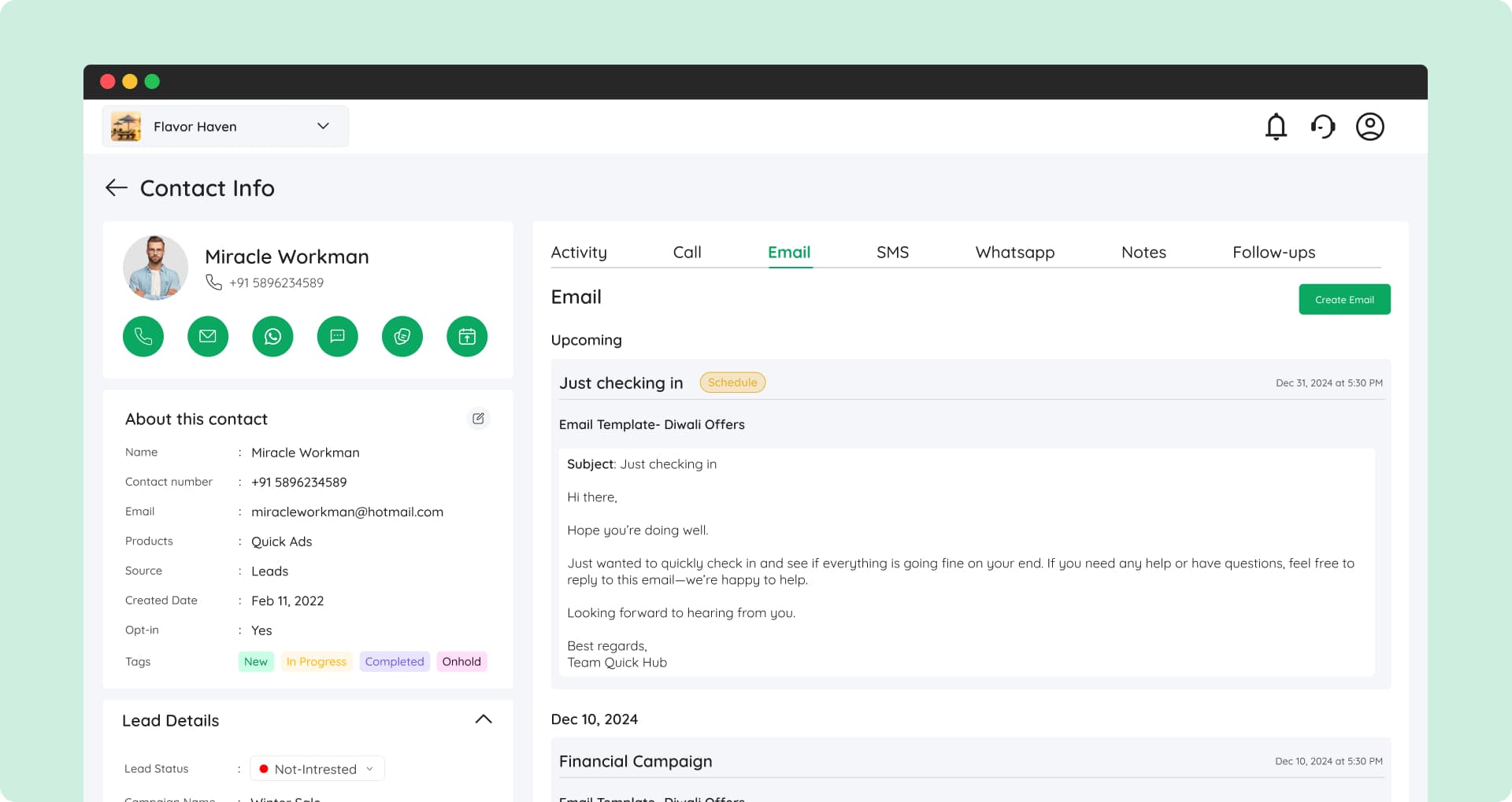
A lead clicks an ad: Instantly, that lead appears inside Quick CRM with full source, intent, and activity attached. No imports. No tagging. No delay.
The conversation continues: Inside Quick Chat, WhatsApp, website chat, and social messages all live inside the same customer profile. Nothing is lost. No one asks, "What happened last?"
Follow-ups don't depend on memory: Workflow Automation triggers actions automatically—assigning owners, sending replies, scheduling nudges, or progressing deals based on behavior. This is small business automation built around real customer signals, not rigid rules.
Campaigns operate with context: With Quick Campaign, email, SMS, and WhatsApp outreach are driven directly by CRM context—who the customer is, what they've engaged with, and where they are in the journey. No blasting. No mismatched messaging.
Acquisition closes the loop: Quick Ads and Quick Social feed engagement back into the same system, connecting spend to conversations and outcomes.
Reviews become strategic: Quick Reviews ties collected reviews directly to real customers, strengthening trust without manual follow-ups.
AI removes lag: Quick Agents (AI) assists without replacing people. Drafting replies. Suggesting next actions. Handling repetitive interactions. Speed improves without sacrificing human judgment.
The Result
The result isn't more capability. It's predictable execution:
- Faster responses
- Clear ownership
- Fewer handoffs
Quick Hub represents the shift from managing software to running the business through one system.
One OS. One data layer. One execution flow.
For modern SMBs, that's no longer optional. It's how growth stays controllable as scale increases.
Why the Future Belongs to Unified Systems (Not More Tools)
The future of small business software isn't about discovering the next shiny app. It's about removing friction from execution.
Customer behavior has changed. Attention windows are shorter. Expectations are higher.
The Brutal Truth
Digital transformation for SMBs is now shaped by one brutal truth:
Speed without context feels careless. Context without speed feels irrelevant.
Customers expect instant, informed responses—messages that already understand who they are, what they asked before, and where they are in the journey.
Fragmented tools make that nearly impossible.
At the same time, small teams can't afford coordination overhead. When messages live in one tool, data in another, campaigns somewhere else, and follow-ups inside someone's head, execution slows down.
Not because teams are lazy, but because systems don't talk.
How Deals Leak
Deals don't disappear overnight. They leak through gaps.
This is why unified systems are replacing stacked tools.
What Unified Systems Deliver
Unified systems remove the need to:
- Sync
- Reconcile
- Remember
Conversations, campaigns, and actions flow automatically. Teams respond instead of chasing context.
The Strategic Shift
The strategic shift runs deeper. Digital presence is no longer just a website or social page. It's the sum of every interaction a customer has with your business.
That's why the future of digital presence for small businesses depends on unified execution.
More vs. Unified
- More tools add options
- Unified systems create momentum
And momentum, not software, is what separates growing SMBs from stuck ones.
Final Takeaway: Fewer Tools. Faster Growth. Clearer Execution.
Here's the quiet truth behind every winning SMB tools strategy:
Small businesses don't need better tools. They need fewer decisions per action.
Every extra app adds friction:
- Another login
- Another dashboard
- Another pause before acting
And hesitation, not competition, is what slows growth.
The Evolution SMBs Have Lived Through
First came apps: One tool per function
Then came workflows: Attempts to stitch tools together
Now comes operating systems: Where execution is built in
What Modern Business Looks Like
Modern business automation best practices aren't about more features. They're about fewer gaps between intent and action.
The next winners won't be the ones tracking the most metrics. They'll be the ones acting the fastest, with full context.
Reflect: Are You Running Your Business or Your Software?
Ask yourself:
- Are your tools helping you move faster—or just see more data?
- Is your business running on effort—or on systems that carry the load?
The Next Competitive Advantage
The next competitive advantage isn't hiring faster or stacking another tool. It's operating smarter.
With one system that runs the business, not the business running the system.
The Path Forward
The era of scattered apps is ending. The era of unified execution is beginning.
The question isn't what tool to add next. It's whether you're ready to operate as one system instead of one person juggling ten.
That's the evolution. And it's already here.
Wrap-up
Marketing automation shouldn't be complicated. QuickHub is designed to fit seamlessly into your workflow — whether you're nurturing leads, managing customer relationships, or launching campaigns on the fly.
If that sounds like the kind of platform you need — try QuickHub free today. No credit card required, and you can be up and running in minutes .